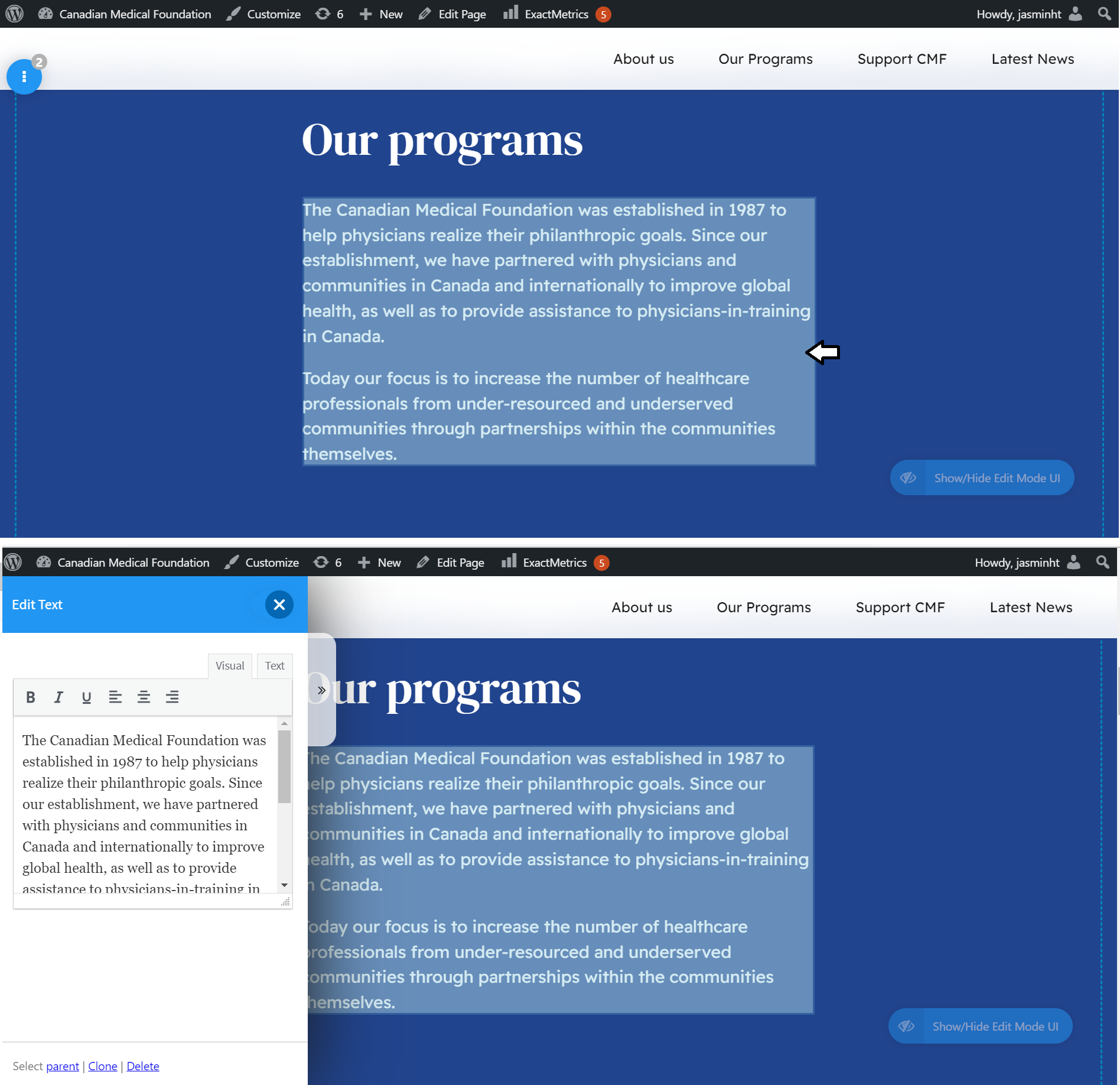
Pages built from Bold Builder allow more complicated design, but they are edited differently.
The following pages are built with Bold Builder:
When logged in, and visiting one of these pages, hovering the mouse over page elements will highlight them in blue. Clicking these blue elements will bring up an editor menu, as shown below.
This allows editing without going into the admin panel. Visitors to the site will not see the blue highlights.
If hovering does not work, click the blue eye in the bottom right corner
Note: This does not work in the Firefox browser.
Bold Builder pages can also be found by clicking “Pages” in the admin panel

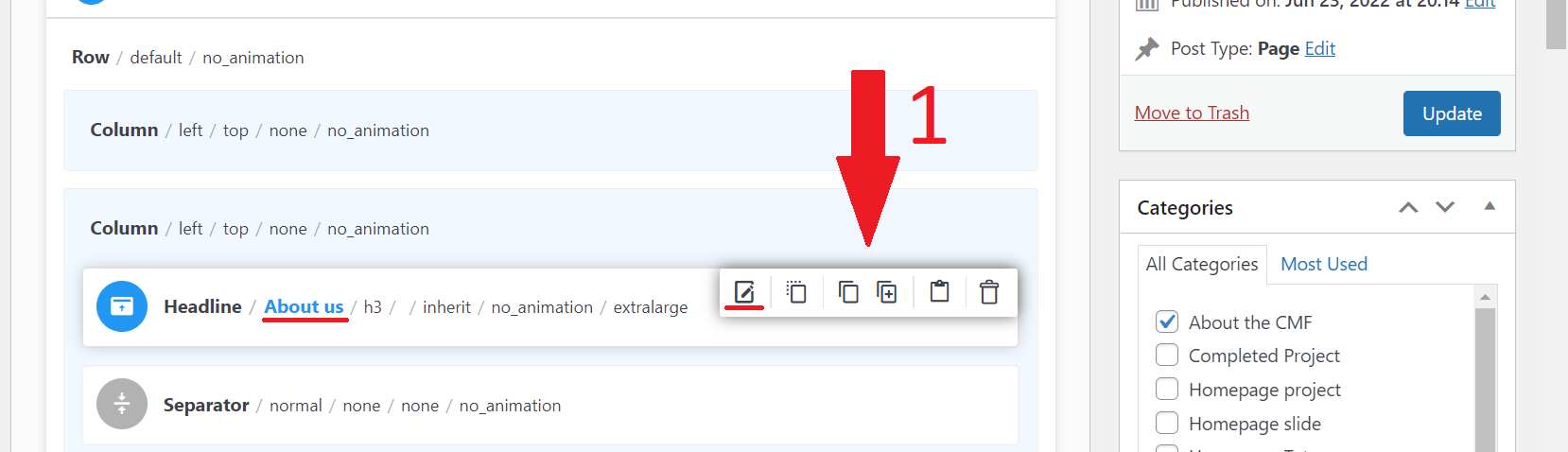
Going into the back-end editor allows more control over these pages, at the cost of being more complicated to edit. This is what the editor looks like:

For simple edits to the page, hover your mouse over the appropriate section.
1. A small menu will appear.
The first icon, the pencil-on-paper icon, is the “edit” icon
Sections and blocks of text can be moved around by drag-and-drop
For complete instructions on the Bold Builder editor, follow this link to their official instruction guide
Instead, I would recommend following "the simple way" described above.